


22 Feb DJ Controllers for Beginners: Your First Mix
▶ 4:57 Reading Time
You hear a DJ set and think: I want to do that too. The next thought: Where do I even begin? Good news: You don’t need €3,000 or a university degree. A controller, a laptop, and a few evenings are all it takes to create your first mix.
What a DJ Controller Does
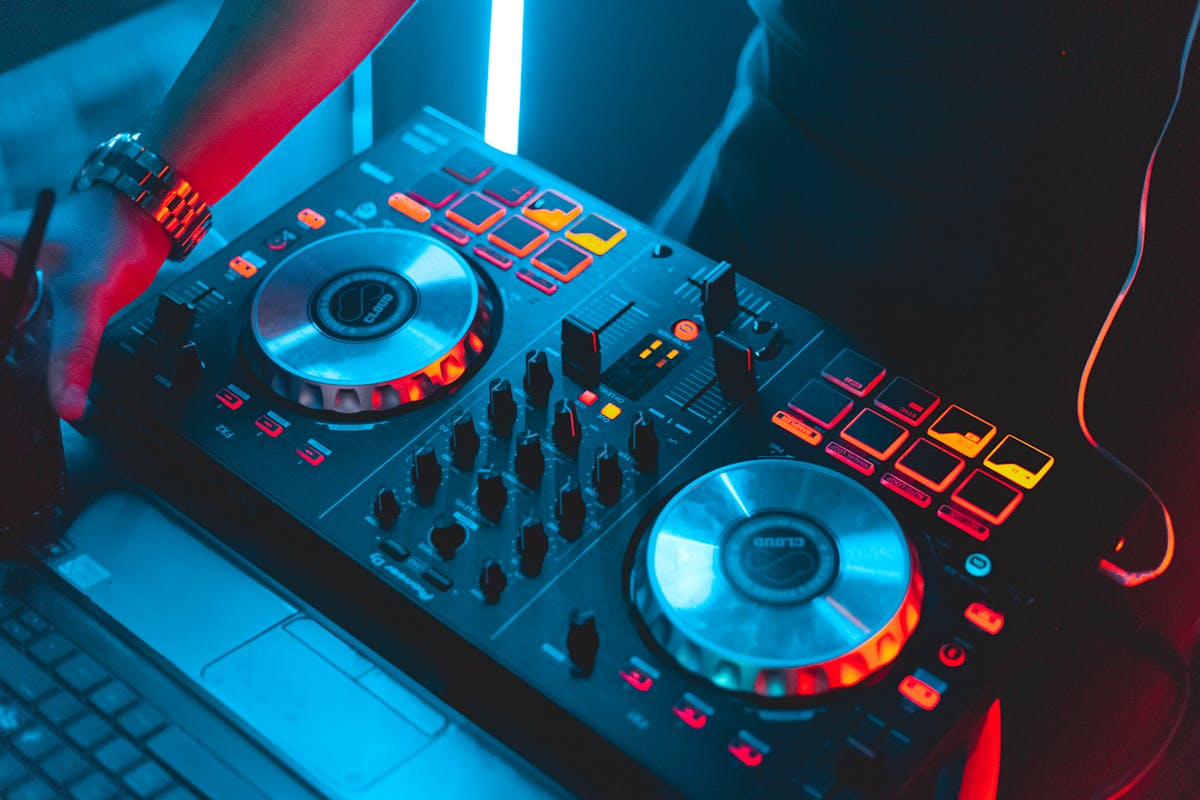
A DJ controller is essentially an external hardware interface for DJ software running on your laptop. It features two jog wheels (the circular platters), a central mixer section, faders, EQ knobs, and cue buttons. You load tracks into the software, assign them to two virtual decks, and blend them together. The controller gives you tactile control – something a mouse simply can’t replicate.
What a controller is not: a standalone device. Without a laptop, it does nothing. DJ software (rekordbox, Serato, or djay) analyzes your tracks, detects BPM and key, and provides visual aids for beatmatching. Many modern controllers include a built-in audio output, allowing direct connection to speakers or a PA system.

The Three Top Beginner Controllers
Pioneer DDJ-FLX4 (approx. €280): The market leader. Pioneer is the industry standard in clubs – and the FLX4 is its entry-level model. Compatible with both rekordbox and Serato. Its layout mirrors professional club gear, making future upgrades smoother. Solid build quality, clean audio output, zero surprises.
Numark Mixtrack Pro FX (approx. €200): More features per euro than the competition. Motorized jog wheels, built-in lighting effects, and performance pads preloaded with FX chains. Works with Serato. Ideal for anyone who wants instantly impressive-sounding sets – even without much experience.
Hercules DJControl Inpulse 500 (approx. €250): The teacher. Hercules specializes in beginner-friendly gear and bundles its DJUCED software with interactive tutorials: LED guides on the controller light up in real time to show exactly which button to press. Sounds like cheating – but it’s the fastest way to grasp fundamentals.
What Else You’ll Need
Headphones: Essential. You preview the next track in your headphones while the audience hears the current one. Closed-back over-ear models with strong bass response and solid isolation are ideal. Reliable DJ headphones start at around €50. If you’re unsure where to begin, our Over-Ear vs. In-Ear comparison offers guidance.
Software: Most controllers ship with a license for compatible software. Pioneer includes rekordbox; Numark includes Serato Lite. That’s more than enough to start. Upgrading to full versions costs €100-€200 – but only matters once you’re serious about DJing.
Music: Buy your tracks. Beatport, Bandcamp, Juno Download. Streaming services work with djay (Spotify/Tidal integration), but downloaded files offer superior quality and reliability.
“The best DJ controller is the one you actually use – not the one you spend hours researching.”
Your First Evening
Plug in your controller. Load two tracks with similar tempos. Hit Play on Deck A. Preview Deck B in your headphones. Adjust tempo to match. Fade gradually between them. Congratulations – you’ve just completed your first mix.
From here, it’s all about practice. Beatmatching by ear, not just relying on the Sync button. EQ mixing: ramp up the bass of the incoming track while lowering the bass of the outgoing one. Use effects sparingly. And the single most vital skill – one no controller can replace: knowing which track comes next. As KAYTRANADA demonstrates, artistry lies in groove – not gadgetry.
Software: What You Need to Start
The controller is the hardware – but without software, it’s inert. Good news: All three controllers come bundled with a Lite version of DJ software. The Pioneer DDJ-200 ships with WeDJ (free), the DDJ-FLX4 with rekordbox (its Free tier is sufficient), and Numark with Serato DJ Lite. All three are fully functional for beginners.
Differences become relevant only when upgrading. Rekordbox is the industry standard in clubs. If you plan to eventually play on CDJs (the units found in every club), rekordbox is the logical starting point – your playlists, cue points, and hot cues transfer seamlessly. Serato dominates among hip-hop DJs and turntablists. Traktor, by Native Instruments, is the favorite in techno circles.
For now, it doesn’t matter which software you choose. Core functions – mixing, EQ, effects, looping – are identical across platforms. Choose based on your controller, not the software. The software comes with the hardware. Wondering whether AI will soon replace DJing? No. But AI-powered tools – like automatic beatmatching – make learning easier than ever before.
Your First Mix: What You’ll Learn in 30 Minutes
DJing has a steep initial learning curve – and then flattens out. Those first 30 minutes with a controller are pivotal. Here’s what you’ll master:
Minutes 1-10: Beatmatching. Synchronizing two tracks. On modern controllers, hit “Sync” and the software automatically matches BPMs. Purists may gasp. Ignore them. Sync is a tool – not cheating. You can learn manual matching later – but start with Sync.
Minutes 10-20: EQ and transitions. Get familiar with the three-band EQ (Low, Mid, High). A clean transition: bring in the bass of the new track while simultaneously fading out the bass of the old one. Instantly sounds pro. Why bass matters so much becomes clear the moment you touch that knob.
Minutes 20-30: Hot cues and loops. Mark key moments in a track – the drop, breakdown, or hook – and jump there with a single button press. Set a 4-beat loop and build tension. Suddenly, you’re no longer just playing two songs back-to-back. You’re telling a story – and you’ve done it in 30 minutes.
The Most Common Beginner Mistakes
Mistake 1: Mixing too fast. Beginners often rush to drop the next track after just 30 seconds. Let a song run for 2-3 minutes. Your audience – or you, alone in your room – needs time to settle in. A DJ who switches every 45 seconds isn’t a DJ – they’re a human shuffle button.
Mistake 2: Playing only hits. Stringing together Top 40 tracks makes you a playlist curator – not a DJ. Blend familiar tracks with lesser-known ones. The magic lies in contrast: an obscure track followed by a universal anthem creates unforgettable moments.
Mistake 3: Ignoring volume levels. Gain staging is boring – but critical. If one track is noticeably quieter than the last, listeners notice immediately. Normalize volume before transitioning. Your controller has gain knobs above each channel – use them.
- you love DJ sets and want to mix your own
- you’re seeking a creative, social hobby
- you’re ready to invest evenings in practice
- you only want to listen to music – not mix it
- you don’t own a laptop
- you’d quit after a month
Q&A After the Show
Click any question to expand its answer.
Can I perform in a club using a beginner controller?
Do I need prior musical training?
Sync button – or manual beatmatching?
Cover image: Pexels / Daniel Eliashevsky
Translated from the German original using artificial intelligence. The German version is authoritative.

KAYTRANADA: The Quiet Architect of Club Sound →
Studio Monitors Under €500 →
Dolby Atmos in the Car: Pioneer SPHERA →
Spring 2026: How to Kick Off the Sports Season IBS →
IBS Publishing is a publishing brand of evernine media